Beyond Writing Code: A Real-World Test of AI Agents Taking Over My Development Workflow
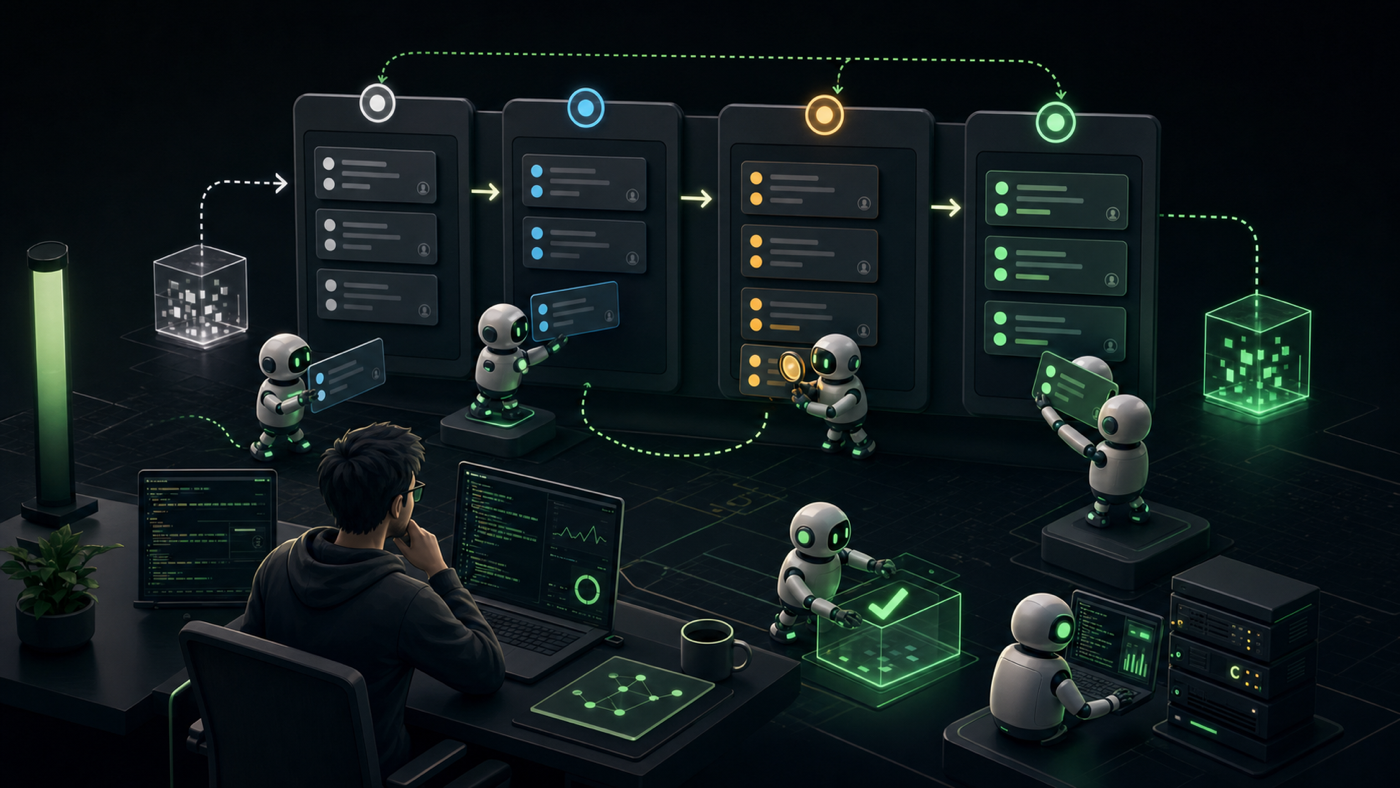
Starting in April 2025, I gradually got pulled into a friend’s app project and ended up working across the whole stack, from the web admin panel to both mobile apps. By early May this year, the service officially launched. During that stretch, I kept bringing AI agents deeper into the actual delivery process, not just to write code, but to gradually take over spec reading, implementation, testing, deployment, and finally handing work back to the reporter for verification. After running this for a while, the biggest thing I learned was simple: in large software projects, the time sink is not just the code itself. A lot of it is workflow overhead, moving task state forward, syncing status, and constantly switching context. This post is my attempt to document how I gradually handed those parts over to agents, and what that changed in delivery, QA feedback loops, and workflow design.
Breaking Down The Manual Workflow
Before an agent could take over this workflow for real, I first had to make the original human process explicit. In this project, an Asana ticket typically goes through something like this from start to acceptance:
puts it in todo and assigns it to me"] --> B[2. I read the ticket] B --> C{3. Any spec questions?} C -->|Yes| D["3a. Leave a comment for the reporter
assign it back and wait for a reply"] D --> B C -->|No| E["4. Move it to develop
(split into sub-tasks if it's large)"] E --> F[5. Implement + run local tests] F --> G[6. Post test results back in an Asana comment] G --> H["7. CI deploys to staging
App goes to TestFlight / Play internal"] H --> I["8. Move it to to be test
assign it back to the reporter"] I --> J{9. Reporter signs off?} J -->|Needs changes| K[9a. Back to todo for follow-up changes, then reassign to me] K --> B J -->|Approved| L[10. complete]
Once you look at it this way, it becomes obvious that implementation and testing are only part of the job. I was also manually maintaining ticket state, leaving comments, reassigning work, and attaching test records. None of those tasks are especially hard, but they break attention into tiny fragments.
Treating The Asana Kanban Board As The Agent’s State Machine
After breaking the workflow apart, I realized I could treat the Kanban board itself as the state machine that drives the agent.
The idea is to let each Kanban column define what the agent should do in that state, where the card should move next, and who it should be assigned to. Once that is explicit, the agent can just follow the state transitions forward.
| Column | What it means | What the agent does here |
|---|---|---|
todo |
Waiting for me to pick it up | Find tickets assigned to me and start working |
develop |
In implementation | Read the ticket, split sub-tasks, write code, run tests |
to be test |
Waiting for human verification | Move it here after deployment and assign it back to the reporter |
complete |
Finished | Reporter approves it and the task is closed |
Back to todo |
Back in the dev queue | Reporter finds an issue and sends it back through another round |
agent takes over"] --> develop["develop
implement / test"] develop --> tbt["to be test
hand off to reporter for verification"] tbt --> complete["complete
accepted"] tbt -. "Needs follow-up changes" .-> todo
That cuts down a lot of human intervention and makes the agent a real part of the workflow instead of a side tool.
Prerequisite: The Agent Has To Be Able To Run Dev And Tests On Its Own
There was another prerequisite for this workflow to work at all: the agent had to be able to fully take over development tasks. Otherwise the whole pipeline would just stall the moment it hit something the agent couldn’t do.
I spent a fair bit of time getting these three things into place first:
| Capability the agent needs | Why it matters |
|---|---|
| Ability to start the API server locally and boot simulators from the CLI | So the agent can run API tests / e2e tests on its own instead of waiting for me to click through it manually |
| CI (GitHub Actions) automatic deployment | So a push automatically lands on staging / TestFlight / Play and the agent doesn’t need to handle deployment details directly |
| CLI access to staging logs and db | So the agent can inspect logs and query the db by itself when debugging instead of opening back-office tools |
That process made something very clear to me: if you want an agent to actually run on its own, the development environment itself has to be cleaned up first.
Turning Repetitive Actions Into Reliable Skills
I made the same point earlier in I Stopped Managing WooCommerce Orders Through the Admin UI, and this app project confirmed it again: natural language is just the entry point. What really makes the workflow reliable is packaging repetitive actions into skills, so the output is more predictable.
I turned the actions this workflow depends on into skills:
| Skill | What it wraps | What manual work it replaces |
|---|---|---|
| Asana | Read tickets, move sections, comment, reassign | Manually moving cards, leaving comments, assigning work |
| Figma | Pull design data out of the file | Manually reading specs off the design |
| App simulator launcher | Start iOS / Android simulators from the CLI, build, run the app | Manually opening simulators and running e2e tests |
Once those actions became skills, the biggest difference was that the agent no longer had to rediscover the workflow every time. It could just use the tools. That is far more reliable than asking it to improvise through a UI. You write the skill once, and every run follows the same behavior.
Using Memory To Lock In Team Rules So Every Session Doesn’t Need A Reset
I also recorded the rules for the whole workflow in memory / CLAUDE.md, so the agent could produce more stable results and would be less likely to need a human to step back in just because some context was missing.
The rules I wrote down mostly fall into two categories:
- git flow: branch naming rules, commit message rules, and what kinds of pushes trigger CI. I hard-coded those into memory so the agent enters the session already knowing the ground rules instead of creating random branches or commits.
- kanban flow: what each Asana column means, what the agent should do there, where the card moves next, and when it should assign the ticket back to the reporter. In other words, I wrote the state machine above into memory in plain text so the agent follows the same state transitions every time.
My CLAUDE.md also defines one workflow rule that matters a lot in practice: the main session only handles discussion, planning, and review; actual code changes always go to a sub-agent. That keeps the main session’s context window smaller, reduces the noise from context buildup, and helps prevent quality from drifting.
First Version: Driving claude -p With A Webhook
My first version looked like this: I ran a small local server and registered an Asana webhook. Whenever a card hit an event I cared about, like being assigned to me or moved between sections, the webhook fired and the server launched a headless claude -p.
The command looked roughly like this:
claude -p "<instructions to complete this ticket go here>" \ |
The prompt was roughly:
Complete this Asana ticket (link attached). If you hit a blocker that prevents further development, leave a comment for the reporter explaining what is blocked. Every implementation must include unit tests, and you must run API tests and end-to-end tests. Post the test results back to the ticket in a form the reporter can verify, such as screenshots or video. After commit & push, if everything looks good, wait for the CI deploy to finish, then move the card to to be test and assign it back to the reporter.
(assigned to todo)"] --> B[2. Local server receives webhook] B --> C["3. Trigger headless
claude -p"] C --> D[4. Read ticket / split sub-tasks] D --> E[5. Implement + add unit tests] E --> F["6. Run API tests / end-to-end tests"] F --> G{7. Did the tests pass?} G -->|No| H[7a. Leave a comment for the reporter] G -->|Yes| I[8. commit & push, then wait for CI deployment] I --> J["9. Move the card to to be test
assign it back to the reporter"]
That was the first point where I could say the full workflow actually ran end to end with an AI agent in the loop.
Why I Reworked It: The Billing Model For claude -p Changed
I saw Anthropic’s announcement that starting on 2026-06-15, claude -p and the Agent SDK would move to a separate Agent SDK credit / API billing model. For someone like me, already using a subscription and also running this whole workflow on a schedule, that stopped making financial sense, so I started looking for a different way to run the system.
Interactive Claude Code terminal / IDE usage still counts against subscription limits, so moving to an interactive session solved the cost issue.
The New Version: Run /loop On A Schedule, Use /goal, And Push The Heavy Work To Sub-Agents
The revised setup works like this: inside an interactive session, I use /loop to run /goal on a schedule. /loop is responsible for triggering the task at fixed intervals. The goal I give to /goal is to pull tickets assigned to me from the todo section one by one and run them through the same pipeline as before: read the ticket, implement, test, deploy, move to to be test, and assign back to the reporter.
(/loop runs /goal on a schedule)"] --> B[2. Plan how to handle the ticket] B --> C["3. Dispatch sub-agents
for ticket reading / implementation / testing"] C --> D[4. Return condensed results] D --> E["5. Main session stitches the workflow together
and moves the card / assigns it back"] E --> A
At that point, the main session is mostly just doing orchestration and decision-making, like deciding whether the next step is reading the ticket, testing, or moving the card. The context-heavy work, such as reading the ticket, implementing, and running tests, gets pushed to sub-agents instead. That keeps every detail from piling into one context window and makes the whole loop more stable.
What Happened In Practice: The Workflow Felt Faster, And The Bottleneck Surfaced In QA
After running this for a while, the workflow felt much faster subjectively. The dwell-time data also showed that develop was no longer where tickets spent most of their time. For the bottleneck snapshot, I used April–June movement history. For the ticket-type and monthly acceptance analysis later, I used the January–June completed-ticket dataset.
Once the development side got faster, the constraint naturally moved to human verification. Here’s a compressed snapshot of the bottleneck:
| Metric | Number | How to read it |
|---|---|---|
develop dwell time |
median 1.2 hours; p75 3.9 hours | Most development tickets get handed off within a few hours |
to be test dwell time |
median 28.4 hours; mean 2.9 days; max 29.4 days | A small number of long-waiting tickets stretch out the wait time |
| May throughput | 191 tickets pushed forward; 133 accepted; about 8.7 vs 6 tickets / workday | Delivery is faster than acceptance, so work piles up on the QA side |
| QA loops (task-based) | 67 / 207 tickets in the April–June movement dataset went back to todo at least once, about 32% |
Roughly one out of every three tickets needs follow-up changes |
| QA loops (entry-based) | 113 / 275 entries into to be test in the same dataset ended up back in todo, about 41% |
Every handoff to QA has a real chance of creating another rework cycle |
| Current blocked / lead time | 10 blocked tickets, longest 12.9 days; median lead time 4.1 days, mean 16.4 days | A small number of slow tickets pull the average upward |
If you switch to task-level analysis, the bottleneck becomes even clearer. The chart below looks only at the 193 completed tasks after 2026-04-01 that entered to be test; every to be test → todo counts as one QA loop. This is meant to show the long-tail distribution inside the completed-task cohort, so it should not be mixed with the monthly first-pass trend that comes later. The result: about 70% of tasks had no QA loop at all, but the remaining 30% consumed at least one extra round, and 10 of them bounced three times or more.
Those 193 tasks generated 102 QA loops in total, averaging about 0.53 loops per task. In other words, the delay is mostly coming from a smaller set of high-friction tasks repeatedly falling into the QA feedback loop and stretching human verification time.
Because the 3+ loop cases clustered in May, it would be easy to assume May was uniformly worse. It wasn’t. If you only look at the share of tasks in that 193-task completed cohort with 0 QA loops, April was 68.5%, while May actually ticked up slightly to 71.0%. What really appeared was the long tail: in May, 10 tasks bounced three times or more, accounting for 7.2% of that month’s tasks. June’s sample is still too small for me to treat it as a real signal.
Taken together, these numbers tell a fairly clear story: the bottleneck moved from implementation to acceptance. The QA loop numbers add another layer to that story too. Once the development handoff gets faster, you start seeing much more clearly which tickets still need better requirement context, acceptance criteria, or real usage scenarios spelled out.
Which Tickets Had Lower First-Pass Acceptance Rates
I also broke down the Kanban movement history by ticket type, looking at the 227 completed tickets from January through June 2026 that entered to be test. The table below shows the four main groups. Here, first-pass means the ticket reached acceptance without moving from to be test back to todo in its Asana activity history. The four groups add up to 226 tickets; 1 more ticket did not fit a stable category, so I left it out of the table.
| Ticket type | Count | First-pass acceptance rate | Observation |
|---|---|---|---|
| Feature | 40 | 57.5% | New features are the most likely to need more context during acceptance |
| Enhancement / adjustment | 24 | 54.2% | Adjustment work often gets stuck on expectation gaps |
| Bug / issue | 80 | 78.8% | Problem boundaries are usually more explicit |
| Other / unclear | 82 | 80.5% | Mostly smaller tickets or titles that were not very standardized |
This lines up closely with what it felt like in practice. Bug tickets are much more likely to pass in one shot. Feature and enhancement work, by contrast, had noticeably lower first-pass acceptance rates and were much more likely to need extra context during QA. A bug ticket usually comes with a concrete failure mode, reproduction steps, or at least a clearly observable error. Feature and adjustment tickets often require understanding product intent, design details, edge cases, and the reporter’s internal standard for what “correct” even means.
So this looks much more like a problem of missing requirement context and incomplete acceptance criteria than a problem with the agent’s ability to write code. The agent can write code faster and run tests, but if the ticket doesn’t define what “accepted” actually means, the missing judgment still gets paid back during human QA.
I would not read May’s long tail as “agent quality suddenly got worse in May,” because the app officially launched on 2026-05-06. A more plausible reading is that once the workflow sped up, it also ran straight into the launch moment, and real-world usage started feeding back into the QA loops more densely. Before launch, the extra rounds looked more like launch hardening. After launch, they looked more like the system forcing previously unstated context, domain rules, and acceptance criteria out into the open one by one. Even if you only keep the most conservative numbers, from May 6 through the end of the month there were still 41 returns to the dev queue across 28 tickets.
Is The QA Feedback Loop Getting More Stable? What Changed Early On?
I also laid the same data out over time, and the trend in first-pass acceptance roughly matches how it felt on the ground. March was when I really started scaling agent usage into the workflow, and that was also when the numbers looked the worst. During that ramp-up phase, QA feedback loops increased noticeably, and it took about two months to settle things back down.
This chart is using a different statistical frame: it shows first-pass acceptance by month, so it should not be compared directly with the “share of completed tasks with 0 QA loops” from the earlier 193-task cohort. The denominators are different, which means 68.5% / 71.0% and 59.5% / 76.4% are measuring different things. Specifically, March was 60.0%, April was 59.5%, and May recovered to 76.4%. One more caveat: the sample sizes in January and February were smaller, so the trend is still worth looking at, but not over-reading. May had the largest sample, at n=123.
June is excluded because the sample was still too small.
What I changed during that period came down to three things:
- Input tooling: I turned Figma-reading and similar manual input work into skills.
- Ticket quality: I started seeing missing specs and unclear acceptance criteria as the next bottleneck.
- Verification discipline: I added a stronger final gate for tests, self-checks, screenshots, and recordings.
To be fair, I would not claim that May’s recovery came entirely from those three adjustments. The app launched on 2026-05-06, and the mix of incoming tickets also changed after that. Those two effects were layered together, and I can’t cleanly separate their contributions. Whether QA loops can keep dropping, and whether first-pass acceptance can keep getting more stable, depends on how much further each of those three issues can be reduced.
Closing Thoughts: The Next Step Isn’t Writing Faster, It’s Making Automated Verification More Trustworthy
The biggest takeaway for me after running this whole setup is that AI agents are no longer just helping me write code. They can connect the entire chain: picking up tickets, implementation, testing, deployment, and handoff for acceptance. Once that part gets faster, the real blocker is no longer just “development speed.” It becomes whether people can trust the result the agent hands back.
That is exactly why I think e2e tests, screenshots, and recordings will matter more and more. If the agent only says, “I’m done,” then a person still has to verify everything from scratch. But if it can reliably run the tests and attach clear evidence for acceptance, the share of QA work that still needs human intervention has a real chance to drop. Put differently, improving human trust in AI agents’ automated verification will be the key to speeding up the entire software development lifecycle from here.
Looking back, the core of this approach is not any one tool. It’s treating the Kanban board as a state machine, using skills to lock in repetitive actions, using memory to lock in team rules, and using sub-agents to control context. Once those pieces were in place, I could finally step out of the role of the “human state coordinator” and let the workflow move forward on its own.